
Add Money
Top up your Ognimohub wallet instantly from your card, bank, or a supported payment gateway.
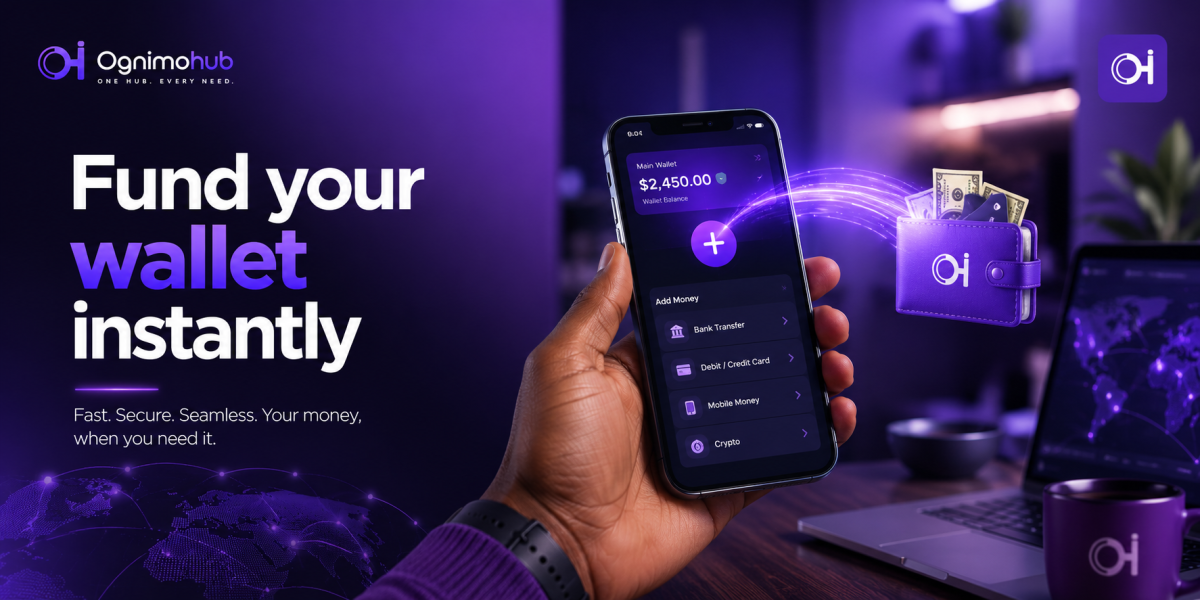
Add Money to Your Wallet
Fund your wallet by card, bank transfer, or gateway — verified, encrypted, and ready to use in seconds.
Add Money to Your WalletYour wallet is only as useful as it is funded — and how you fund it matters just as much as how quickly it happens. Add Money lets you top up your Ognimohub wallet using a card, bank transfer, or one of our supported payment gateways, so you're ready to send money, pay bills, or make purchases whenever you need to.
Because a top-up is the entry point for every other transaction on Ognimohub, it's also a moment scammers try to exploit — usually by posing as the platform itself. This guide walks through how funding works, how to do it safely, and what to do if a top-up doesn't show up where it should.
How Add Money Works
Open the Add Money screen in the app, choose your funding method — debit or credit card, direct bank transfer, or a supported payment gateway — and enter the amount. Confirm with your PIN or biometric login, and the funds reflect in your wallet balance, usually instantly for cards and gateways, or within your bank's standard transfer window for bank transfers.
Built-In Protections You're Already Using
Every top-up on Ognimohub runs through the same protections as any other transaction:
- Encrypted payment processing — your card and bank details are never stored or transmitted in plain text.
- PIN and biometric confirmation — no top-up completes without a second factor of authorization.
- Instant balance notifications — you're alerted the moment funds land, so you can catch a discrepancy immediately.
- Full transaction history — every top-up is timestamped and referenced, so it's traceable if support needs to investigate.
Best Practices
- Only add money through the official Ognimohub app or website — never through a link sent to you by someone else.
- Double-check the amount before confirming; funded transactions can't always be reversed instantly.
- Use a payment method registered in your own name for faster verification.
- Keep your payment gateway app (e.g. your bank app or card provider app) updated and secured with its own PIN or biometric lock.
Red Flags to Watch For
- Anyone asking you to "add money" to your wallet and then send it to them to "verify your account" — this is a common scam pattern. Ognimohub will never ask you to do this.
- Unofficial third-party sites claiming to top up your wallet at a discount.
- Requests to screen-share while you're adding money.
Need Help?
If a top-up doesn't reflect in your balance within the expected time, check your transaction history first, then contact support with your reference number. Having the reference ready is the single fastest way to get a funding issue resolved.
Frequently Asked Questions
How long does a bank transfer top-up take?
Card and gateway top-ups usually reflect instantly. Bank transfers can take longer, depending on your bank's own processing window — check your transaction history if it's taking longer than expected before contacting support.
Can I add money using someone else's card or account?
For faster verification and fewer holds, use a payment method registered in your own name. Third-party funding methods may require additional checks.
Is there a fee for adding money?
Fees vary by funding method and payment gateway. Check the amount displayed before you confirm — it will always reflect any applicable fee.
Fund with confidence. Add Money is built to get you topped up quickly and safely — using only the official app, verifying your amount, and knowing your own reference number are all it takes to keep it that way.
Ready to get started?
Log in to your account to use this service right away.