Mobile Recharge
Top up your own or someone else's mobile airtime and data in seconds.
Recharge Instantly
Airtime and data, for any supported network, straight from your wallet — no shop, no scratch card.
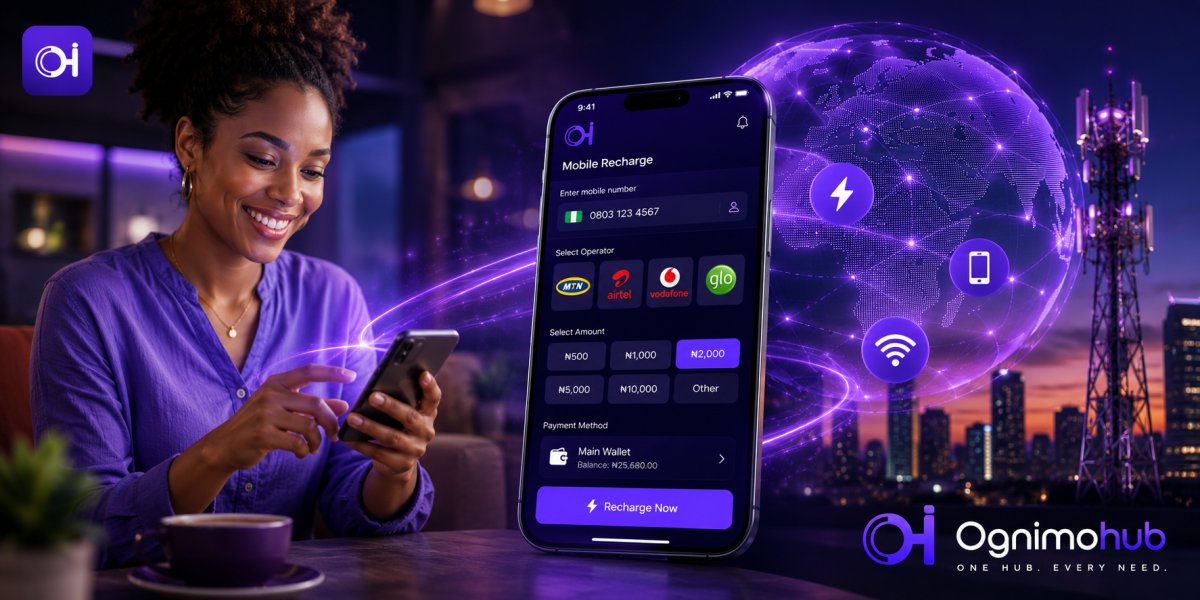
Recharge InstantlyRunning out of airtime or data always seems to happen at the worst moment — mid-call, mid-download, mid-directions. Recharge lets you top up airtime or data for yourself or someone else, for any supported network, directly from your wallet — no need to visit a shop or handle physical scratch cards.
It's one of the simplest features on Ognimohub, which is exactly why the one thing that can go wrong — a mistyped number — is worth a few extra seconds of attention. There's no merchant to dispute with and no agent to appeal to; it's just you, a number, and a confirm button.
How Recharge Works
Choose the network, enter the mobile number — your own or someone else's — and select an airtime or data amount. Confirm with your PIN or biometric login, and the recharge lands on the recipient's line within moments. You'll get an instant confirmation with the number and amount, so you can double-check it landed where it should.
Built-In Protections You're Already Using
Recharge is simple by design, but it's still backed by the same core protections as every other Ognimohub transaction:
- PIN and biometric confirmation — required before any recharge is processed, so no one can top up from your wallet without your authorization.
- Instant confirmation screen — you see the exact number and amount before you approve, catching most typos before they cost you.
- Saved numbers — frequently used numbers can be stored securely, cutting down on manual entry errors over time.
- Transaction history — every recharge is logged with a reference, useful if you ever need to confirm what was sent and when.
Best Practices
- Double-check the mobile number before confirming — recharges to the wrong number generally can't be reversed.
- Save frequently used numbers to reduce the chance of a typo.
- Only use the official app for recharges; avoid third-party "discount recharge" sites that ask for your Ognimohub login.
Red Flags to Watch For
- Third-party websites or agents offering recharges at a steep discount in exchange for your Ognimohub login or PIN.
- Anyone asking you to recharge their number as a form of "payment" for goods, services, or a prize — this is a common scam substitute for cash.
Need Help?
If a recharge doesn't reflect on the intended line, check your transaction history to confirm the number it was sent to first, then contact support with your reference number. If the number was correct but the network hasn't credited it, support can help investigate on the network's side too.
Frequently Asked Questions
Can I get a refund if I recharge the wrong number?
Recharges generally can't be reversed once they've landed on a line, which is why the confirmation screen is worth a careful look before you approve. Contact support with your reference number regardless — they can confirm what happened, even if a reversal isn't possible.
Can I recharge a number on a different network?
Yes, Recharge supports any network available in the app — just select the correct network for the number you're topping up before confirming.
Is it safe to use third-party sites that offer cheaper recharges?
No. Any site or agent asking for your Ognimohub login or PIN to process a "discounted" recharge should be avoided entirely — use the official app for every top-up.
Never run empty. Recharge keeps you and the people you top up for connected in seconds — a quick glance at the number on your confirmation screen is the only thing standing between a smooth top-up and one you can't take back.
Ready to get started?
Log in to your account to use this service right away.